|
|
|
|
|
This software was checked for viruses 6 months ago and was found to contain no viruses.
Click here
to see antivirus report.
|
|
| |
|
|
Video tutorial for Miraplacid Text Driver 5.1
This video tutorial has been acquired from Downloadtube.com
|
Review
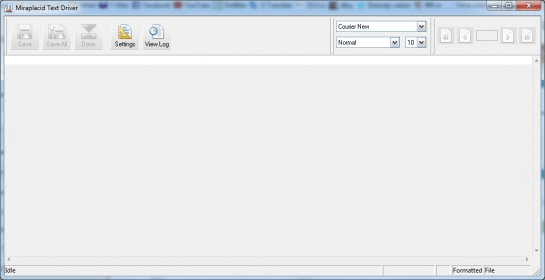
Miraplacid Text Driver 2011 extracts text from any printable documents. After installation on your PC, Miraplacid Text Driver appears as a new printer in your system. When document is printed, Miraplacid Text Driver opens a dialog with Preview Window. You can save resulting text to disk, upload to FTP or HTTP server, email it, print it to a real printer, or send to Clipboard.
You can save the extracted information as plain, formatted text or as XML or RSS / Atom feed for future processing in all installed codepages and Unicode. |
What's new in version 5.7
New in version 2011 (5.7) Text Driver supports several copies printing, with or without collation. Some unnecessary and outdated options and modules removed. Some fixes and updates made in software and documentation.
New in version 2011 (5.6) It is possible to edit redirection print job - new methods in COM interface available for external scripts and custom UI components. Redirect method allows developers to specify document name for redirected print jobs. Text rendering quality improved a bit. Some minor bugs fixed in software and documentation.
New in version 2010 (5.5) New useful text rendering options in "Formatted" output style. Compatibility redirection mode for old systems. It is possible to use several User Interfaces, external programs and scripts connected to Text Driver, having actual set of options in each - new OnSettingChanged event. Driver modules optimized. Some minor bugs fixed in software and documentation.
New in version 2010 (5.4) Printing speed increased up to 20%. Text rendering quality significantly improved. This version is 100% compatible with Windows Vista and Windows 7. Atom feed support added to RSS-Atom formatting style. Empty print jobs handling corrected. New "expert" options added to administration dialog. COM model slightly optimized. Some fixes made in software and documentation.
New in version 2009 (5.3) Printing speed increased up to 40%. Editable page number control allows you to navigate directly to desired page. Text Driver now correctly monitors add/remove printer operations and default printer change. New version redirects RAW print jobs to other printers (but, does not extract text from such jobs). A new set of options for redirect print jobs added. Now, you have full control over your redirect. New option Wait in File and Clipboard outputs helps to syncronize your automation tasks with Text Driver. Email transport has an options to send printing results as an attachment. COM model improved. All standard paper sizes supported. Many other fixes and useful additions made.
New in version 2009 (5.2) Printing speed increased up to 20%. Quality of text reconstruction greatly improved. Reliability improved a lot. New administration sofware which allows customers to control system parameters. No more manual registry changes! Also, this software provides a way to quickly and easily generate and send error reports to Miraplacid. Text Driver monitors add/remove printer operations, so there is no need to reload it after such actions. "Redirect to printer" feature is totally rebuilt and now it works in automatic or manual modes (for use from external programs and scripts). Other software and documentation fixes made. What's new in version 5.1
Additional parameters;extended file naming support;common settings;several fixes |
|
Report a wrong version
Report a wrong program title
Suggest a correction
|
Screenshots
|
|
|